CronKey
Sentence suggestions
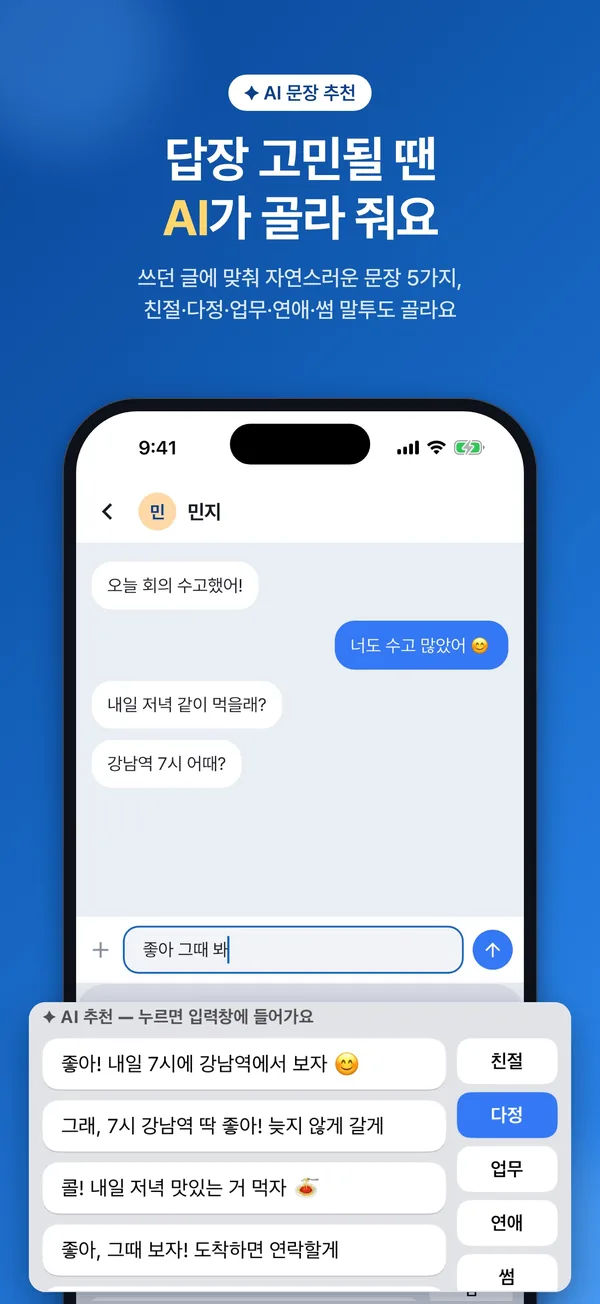
Get five natural sentences based on what you've written. Pick a tone and CronKey remembers it for next time — tap a suggestion and it drops straight into the text field.
FriendlyWarmWorkRomanticFlirty
From AI sentence suggestions that fit what you're typing to AI chat right inside the keyboard, spell check, translation, your own emoticons and photo themes — all in one keyboard.
At a glance
Switch to CronKey in your messenger, email or notes and every AI feature is right there.
Screenshots show the Korean interface.
Features
Just tap a button when you need it. CronKey takes care of the rest.
Get five natural sentences based on what you've written. Pick a tone and CronKey remembers it for next time — tap a suggestion and it drops straight into the text field.
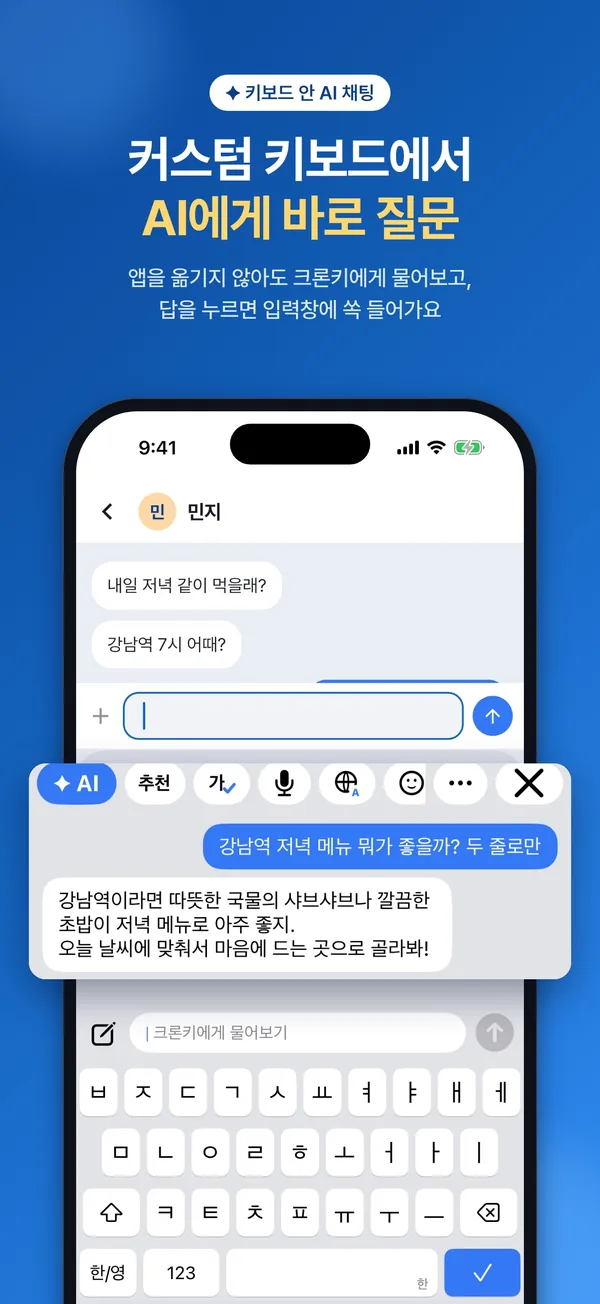
Tap the AI button on the keyboard to ask CronKey, your AI friend, from any app. Tap an answer and it pops right into the text field.
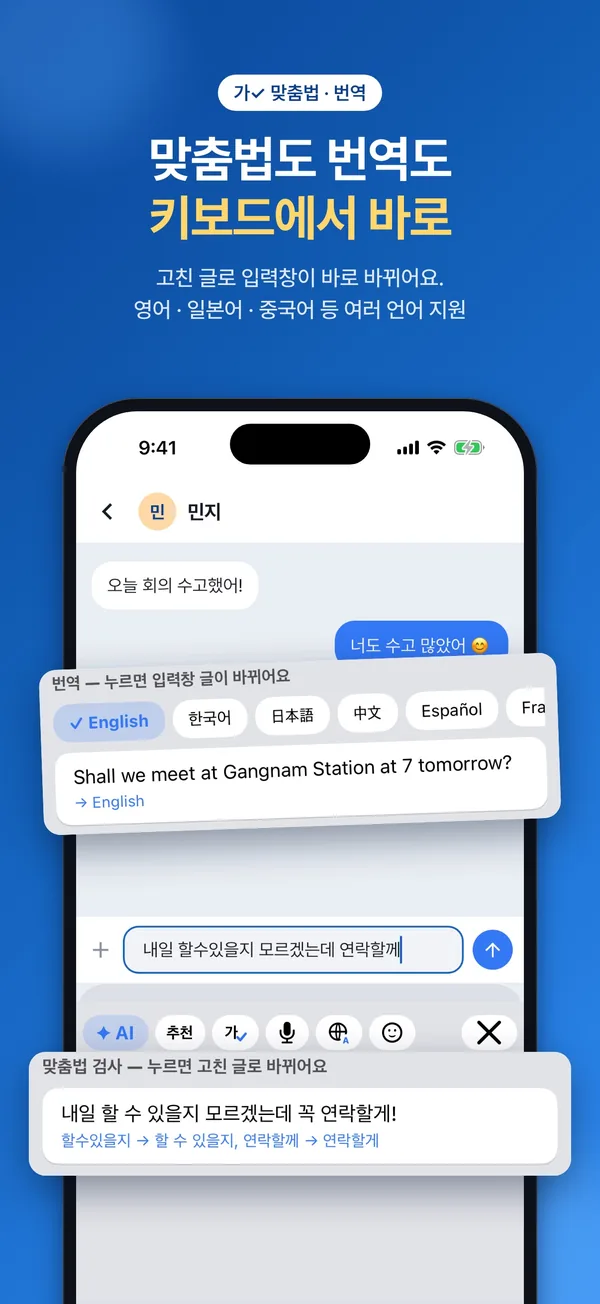
Fix spelling, spacing and grammar in one go — and see exactly what changed. Works for Korean, English and other languages.
Translate just the sentence you wrote — tap the result and only that part is replaced.
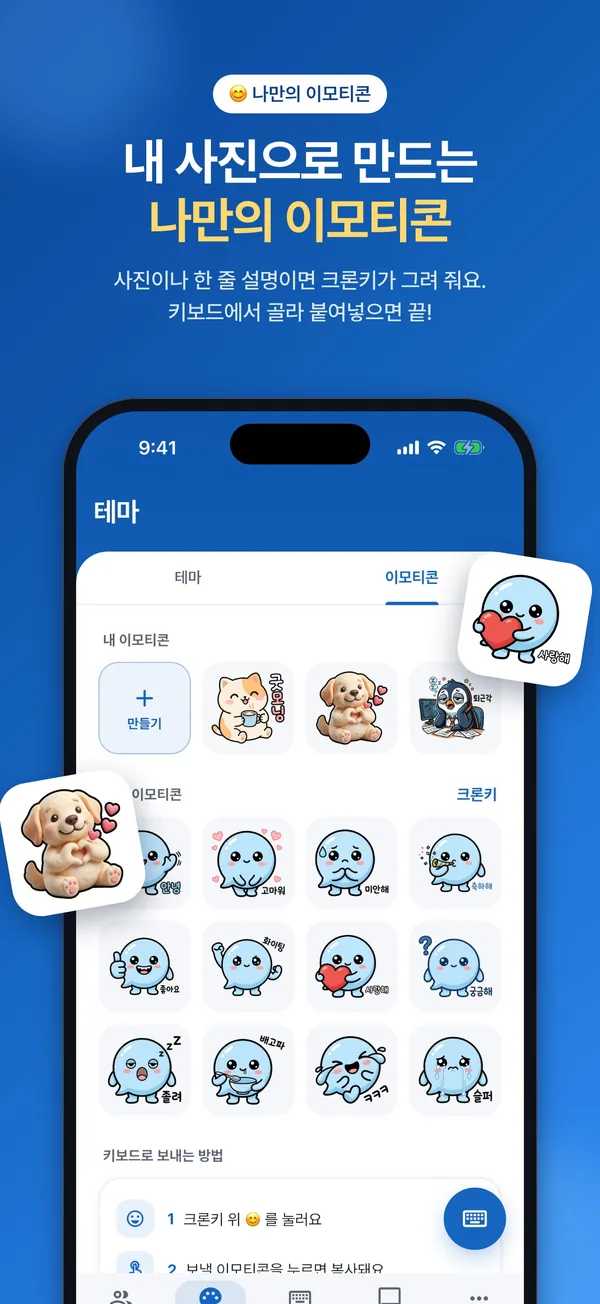
One photo or a one-line description is all it takes — CronKey draws the emoticon for you. Cute default emoticons are included, too.
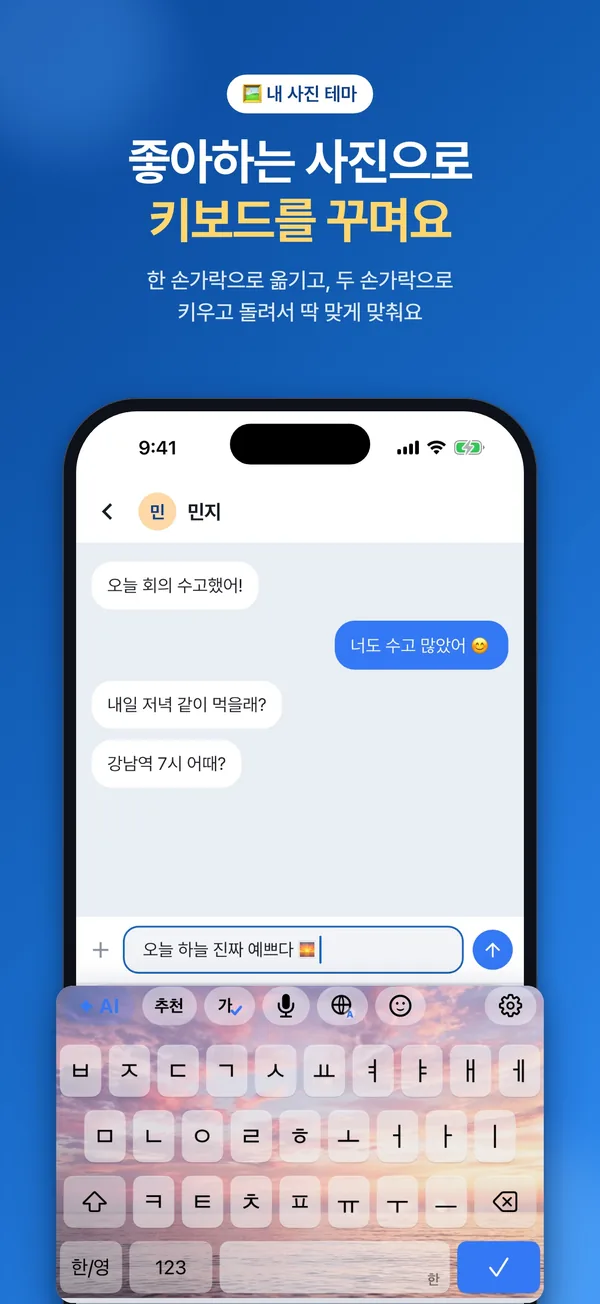
Social Blue, Navy, Cherry Blossom, Mint, Lavender, Sunset, Ocean, Mocha and more — plus a photo theme with your favorite picture as the background. Adjust key color, transparency and photo brightness to taste.
Tap the mic and speak — CronKey turns it into text.
11 sounds, including Click, Typewriter, Mechanical (clicky · silent), Bubble, Water Drop, Wood, Marimba and Retro. Haptics can be switched on or off.
Chat when you're bored and ask whatever you're curious about. Show it a photo or just ask out loud — it has answers.
Find friends by ID, or automatically add friends from your contacts who already use CronKey.
Just tap Start and use it right away as a guest.
Privacy
Everything you write passes through your keyboard. That's why CronKey only handles the text it needs, and only at the moment it's needed.
Full details are in our Privacy Policy.
Get started
After installing the app, just follow the guide in the Keyboard tab.
Full Access is needed to send AI requests over the internet and to share emoticons and themes with the app. Even with it turned on, what you normally type is never stored or sent.